Your browser has 47 tabs open.
We need to talk.
The smart way to | all your browser tabs across devices.


Tab management, reimagined
Everything you need to tame the chaos of browser tab overload.
Save Memory
Close those 47 tabs without guilt. Save everything, free your browser, open instantly when needed.
Real-time Sync
Seamless synchronization across all your devices. Start on desktop, continue on mobile.
Powerful Search
Find any tab instantly across all your groups, workspaces, and tags. Lightning fast.
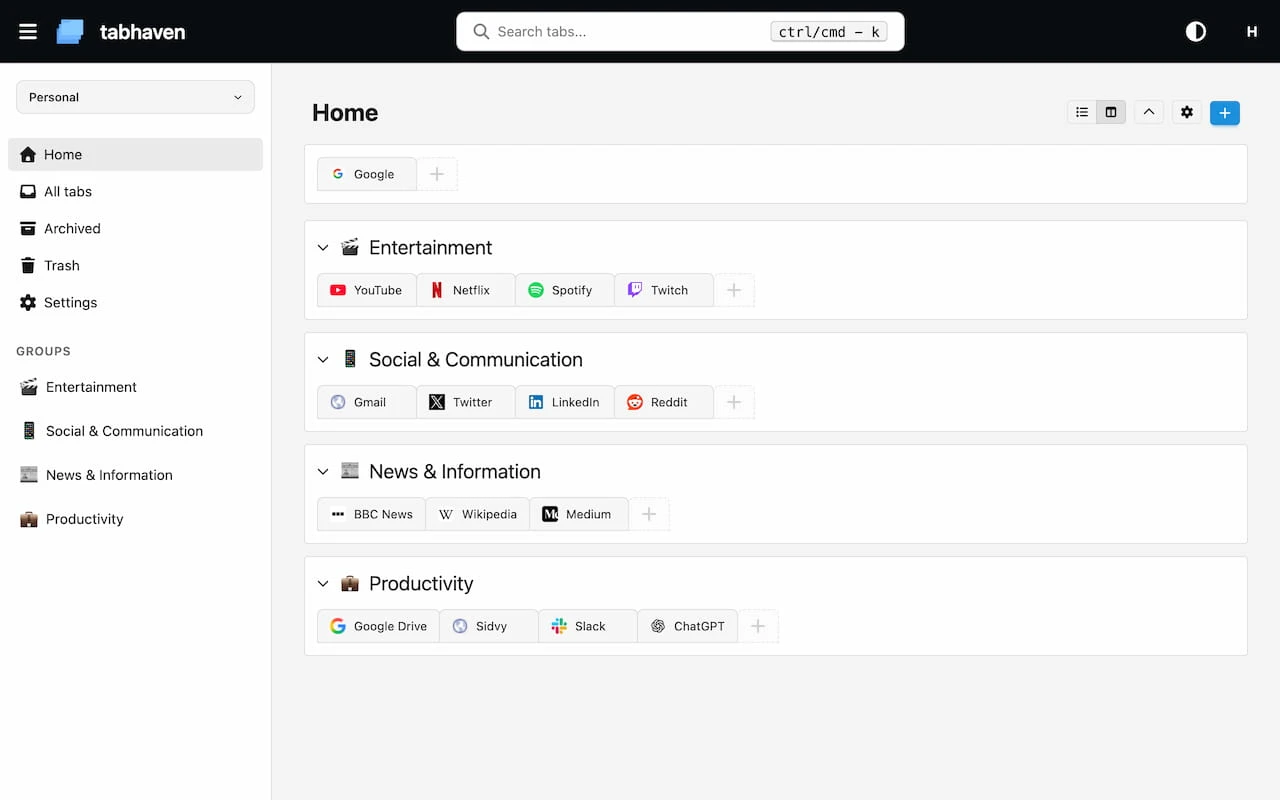
See it in action
A clean, intuitive interface designed to help you manage thousands of tabs effortlessly.
Everything else you'd expect
Organize, protect, and share your tabs with powerful features designed for tab hoarders.
Hierarchical Groups
Organize tabs into nested groups. Create unlimited sub-groups for perfect organization.
Multiple Workspaces
Keep work and personal tabs separated in different workspaces.
Private Groups
Password-protect sensitive groups. Keep private tabs out of search results.
Shareable Collections
Share groups of tabs with secure links. Optional password protection included.
Smart Trash
Soft delete with recovery options. Auto-cleanup configurable to your preferences.
Archive System
Archive old tabs to keep your workspace clean without losing important resources.
Ready to close some tabs?
It's time to reclaim your browser -- and your sanity.
Start Organizing Free →